Showing posts with label bing. Show all posts

Friday, August 19, 2011

Bing Team Releases We're In App for Windows Phone

The Bing team has just released its 'We're In' app for Windows Phone. It's a useful little app that allows you to share your location with your friends.                                                                                                                                     
clip_image002            
clip_image006

You sign in to this app with your phone number and invite your friends by adding their numbers. You can share your location with all your friends for a definite or indefinite time period. This app also includes a map, (for finding friends) and integrates with your Facebook account (to post status messages).

clip_image010             clip_image008

Well, what are you waiting for? Here's the link. Spend some time with it and let us know what you think of it.


[Source]

By Sameer

Tuesday, May 24, 2011

Bing's Local Scout feature currently limited to US and UK

Among several features, Bing Local scout is one of the most interesting feature. Local scout is a hyperlocal search service with recommendation for nearby places like restaurants, shops,etc and it's powered by Bing, of course. Now here's the bad news, If you are from outside US/UK Local Scout feature will be unavailable to you. I was expecting this since most of the Bing powered services currently are  limited to US and UK. Although, @mobiletechworld begs to differ on this, the screenshot from a @AndrewTechHelp confirms the fact that it will be limited to UK and US.


Click the image to enlarge. The text at the bottom clearly states that this feature is limited to just US and UK. Disappoint, to say the least.


By Rahul Mathur

Monday, May 9, 2011

Cool New Bing Features Coming to Windows Phone

Travis and Ryan Lowdermilk from Windows Phone Dev Podcast have announced some cool new features arriving on Windows Phone via their latest podcast. Voice recognition SMS , Turn-by-turn navigation, a Shazam-like service are some of the new features which should be coming to the platform very soon.

First up is Bing Audio, which is a service with Shazam like usage, you record a 10 second clip of audio and the app tries to identify the song and then shows you marketplace results to stream or buy the track. Integrated within the Bing search app, this will initially be launched in US, Great Britain, France, Italy, Germany and Spain.

Next is Bing Vision, which is like Google Goggles for Windows Phone. Using the phone camera, you can scan Microsoft tags, QR codes, bar codes etc. Similar apps are available in the markeplace but adding integrating abilities into the OS itself is obviously a lot better.

Another couple of features are voice recognition SMS and turn-by-turn navigation, which are much needed additions WP7 and should make driving a lot safer and convenient for users. And of course, you will be able to listen to the WPdev podcast as well, because native podcast support is being added to the platform as well.


Though no official statement has been issued, these screenshots seem authentic and we are pretty sure these features will be making way to your devices quickly.

By Akshay Bakshi

Sunday, April 24, 2011

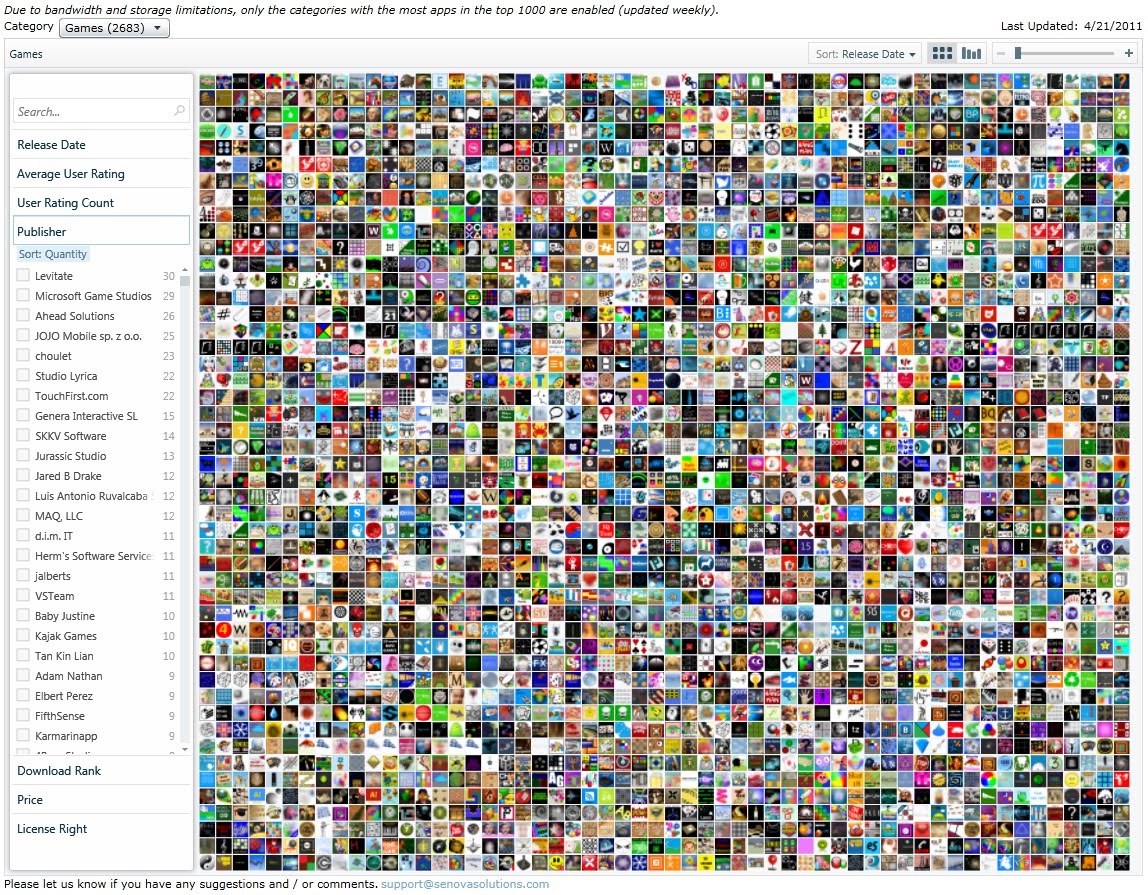
Senova Phone Marketplace : Visual Search Engine for Windows Phone 7 Apps


Bored of the default Windows Marketplace ? Want better sorting options ? Wanna try a different, more visual way to discover apps ? Then, Senova Phone Marketplace is what you are looking for.

Though, Microsoft already has it's own visual search for apps in Bing, it has some limitations. Beginning with the basics, Senova offers search with great filtering options. You can filter trails by release date, average user rating, used rating count, publisher, download rank, price and license. There are two views - grid view (default) and graph view. You can sort the apps by the same parameters with which you can filter them. Coming to the apps themselves, Senova displays the app icons (you can zoom in and out) and shows their basic details when clicked on, but you can't compare any two apps. Built in silverlight, the search engine has pretty transitions whenever you search, rearrange or filter the search results. Keep in mind, its just search. You can't see the screenshots or summary. One place where it completely trumps Bing though is the no. Of apps. While Bing Visual Search only displays the top 3000 apps from marketplace, Senova displays all apps from the categories which have most apps in the top 1000(updated weekly). It's a great tool and you should try it atleast once.

Check it out here.

By Akshay Bakshi

    • Popular
    • Categories
    • Archives

     
    Web Analytics